Phishing Email
Cybercriminals like to phish, but don’t take the bait.
Phishing is when criminals use fake emails, social media posts or direct messages to lure you into clicking a bad link or downloading a malicious attachment. If you click on a phishing link or file, you can hand over your personal information or could install malware onto your device.
Recognize
The signs can be subtle, but once you recognize a phishing attempt you can avoid falling for it. Before replying to the email, clicking any links or downloading attachments, take a few seconds and ensure the email looks legit.
Look for these common signs of Phishing:
• Does it include urgent or alarming language?
• Does it request to send personal and financial information?
• Does it contain an offer that’s too good to be true?
• Does the sender’s e-mail address match the company?
Look for little misspellings like pavpal.com or anazon.com.
Report
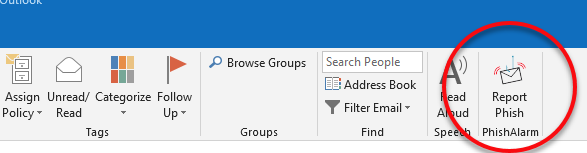
Delete
Do not respond to the message or click links in the message. Kick it to the can and delete the phishy message.